Imagine waking up one morning to find your website replaced with a scam page. Your customers are seeing malicious ads, your business emails are bouncing, and your entire online presence has vanished. You try to log into your domain registrar, but your password no longer works. This isn’t a bad dream; it’s the nightmare scenario of domain hijacking, and it’s more common than you think.
Domain hijacking is the digital equivalent of someone stealing the deed to your property. An attacker gains unauthorized access to your domain registration account and transfers your domain name to their own account, giving them complete control. To combat this threat, major registrars like GoDaddy and Namecheap offer paid “Domain Protection” plans.
But with prices ranging from a few dollars to over $30 per year per domain, a critical question arises: Are these protection plans a necessary shield against digital disaster, or are they just a clever upsell preying on our fears? Let’s break it down.
How Does Domain Hijacking Actually Happen?
To evaluate the solution, we must first understand the problem. Attackers typically hijack domains using one of these methods:
- Credential Theft: This is the most common vector. The attacker obtains your registrar username and password through phishing scams, malware on your computer, or by guessing a weak, reused password.
- Social Engineering: A determined attacker contacts your registrar’s support team, impersonating you. Using publicly available information, they convince the support agent to bypass security measures and grant them access.
- Accidental Expiration: You simply forget to renew your domain. It expires, enters the public pool, and a “domain squatter” or competitor snatches it up.
- DNS Hijacking: A more subtle attack where the hijacker doesn’t steal the domain itself but changes its Domain Name System (DNS) records. This allows them to redirect your website traffic and emails to their own malicious servers without you losing ownership.
The Standard Security Toolkit: What You Should Be Doing for Free
Before you even consider paying extra, you must use the fundamental security features that are standard and free at virtually every registrar. These are your first and most important lines of defense.
- Registrar Lock (or Transfer Lock): This is a simple toggle in your domain settings that prevents the domain from being transferred to another registrar. It should be ON at all times unless you are actively transferring your domain.
- Two-Factor Authentication (2FA): This is the single most effective tool against account takeovers. When you log in, you must provide not only your password but also a second code, usually from an app on your phone (like Google Authenticator) or an SMS message. If you own a domain, enabling 2FA is not optional; it’s essential.
- A Strong, Unique Password: Don’t reuse the password from your social media or email. Use a password manager to generate and store a long, complex password for your registrar account.
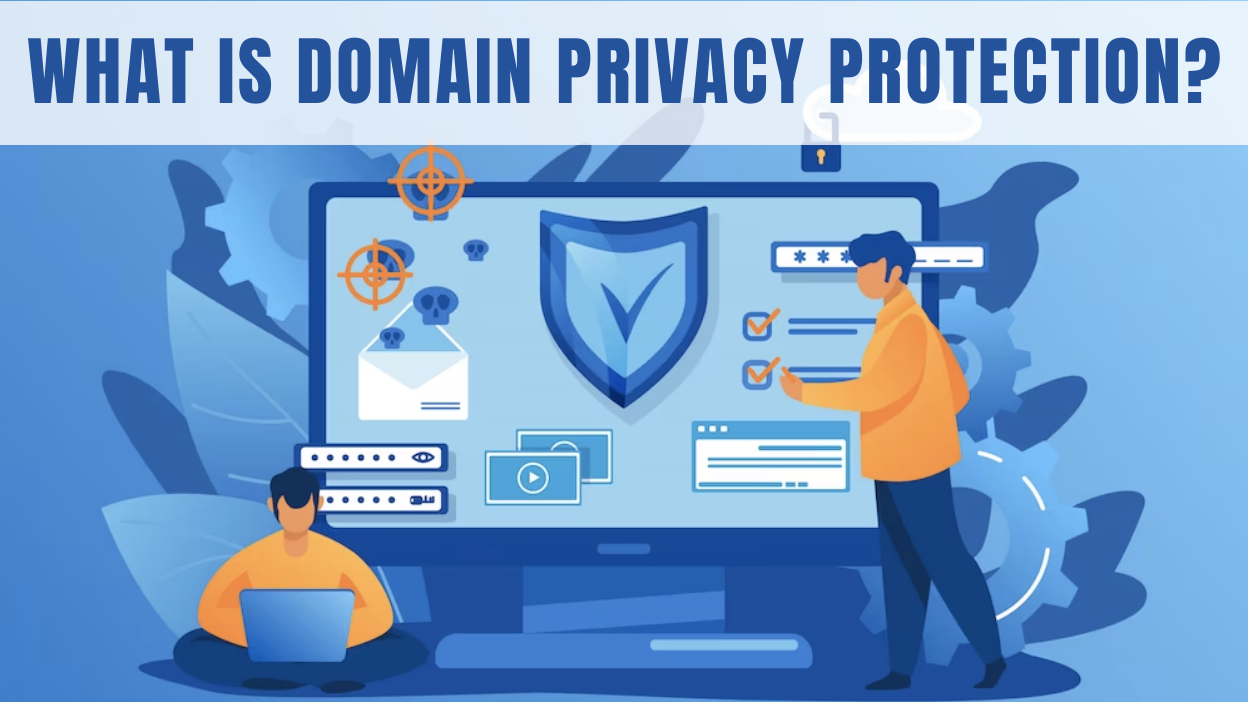
- WHOIS Privacy: When you register a domain, your personal information (name, address, email) is published in a public database called WHOIS. WHOIS Privacy services replace your information with the registrar’s generic details. This is crucial for preventing phishing and spam. Namecheap provides this for free, while GoDaddy often includes it in its paid plans.
If you diligently use all four of these tools, you are already 99% more secure than the average domain owner.
Decoding the Paid Plans: GoDaddy vs. Namecheap
So, if the free tools are so effective, what are you paying for? The offerings from GoDaddy and Namecheap represent two different philosophies.
GoDaddy: The “Full” and “Ultimate” Protection Insurance Policy
GoDaddy heavily promotes its tiered protection plans as a comprehensive security blanket.
- What they offer beyond the basics: The key feature of GoDaddy’s paid plans (“Full Domain Protection” and “Ultimate Domain Protection”) is an additional verification step for critical actions.
- Transfer & Ownership Protection: If an attacker somehow gets your password and bypasses your 2FA, this feature stops them. To approve a domain transfer or cancel the protection, GoDaddy requires a second, separate verification step. This often involves you entering a unique code sent to your email. It acts as a final human checkpoint.
- Prevents Accidental Expiration: The plan automatically ensures your domain renews, even if your on-file credit card fails, giving you a grace period to update your billing information. This protects against losing your domain by accident.
- Bundled Extras: The highest “Ultimate” tier often bundles website security products like malware scanning and a Web Application Firewall (WAF), which protect your actual website files, not just the domain registration.
Namecheap: The À La Carte, Tech-Focused Approach
Namecheap’s philosophy is to provide core security features for free (like WHOIS privacy) and offer specialized, paid upgrades for performance and DNS security.
- What they offer beyond the basics: Namecheap’s primary paid offering in this space is PremiumDNS.
- DNS Security & Uptime: This service doesn’t focus on transfer protection like GoDaddy’s plan. Instead, it provides a high-performance, globally distributed DNS network. This means faster DNS resolution times for your visitors and robust protection against DDoS attacks aimed at your DNS records. It ensures your website remains accessible even under attack.
- Focus on User Responsibility: Namecheap’s model puts more onus on the user. They provide the essential tools (2FA, Transfer Lock) and expect you to use them. They don’t offer that extra “human verification” layer for transfers as a paid product in the same way GoDaddy does.
| Feature | Standard Security (Free) | GoDaddy Paid Protection | Namecheap PremiumDNS |
| Registrar / Transfer Lock | Yes | Yes | Yes |
| Two-Factor Authentication | Yes (User Must Enable) | Yes (User Must Enable) | Yes (User Must Enable) |
| Basic WHOIS Privacy | Often extra (GoDaddy) / Free (Namecheap) | Included | Free (from Namecheap) |
| Extra Transfer Verification | No | Yes (Core Feature) | No |
| Protection from Accidental Expiration | No | Yes (Core Feature) | No |
| Enhanced DNS Security/Uptime | No | No | Yes (Core Feature) |
The Verdict: Is It Worth Your Money?
The value of these plans depends entirely on who you are and what the domain is used for.
For the Average User (Personal Blog, Hobby Site, Portfolio): Probably not. The annual cost of a high-tier protection plan can be more than the domain itself. If you diligently enable 2FA, use a strong password, and keep your transfer lock on, the risk of hijacking is extremely low. Your money is better spent elsewhere.
For Any Business, E-commerce Store, or High-Traffic Website: Yes, a plan like GoDaddy’s is a very wise investment. Think of it as an insurance policy. The cost of the plan (e.g., $10-$20/year) is trivial compared to the potential cost of a single day of lost revenue, brand damage, and the chaos of trying to recover a stolen domain. That extra verification layer provides crucial peace of mind against a sophisticated or lucky attacker.
For the Tech-Savvy User Running Critical Infrastructure: It’s a judgment call. A service like Namecheap’s PremiumDNS might be more valuable, as you are likely more concerned with DNS uptime and DDoS attacks than being socially engineered. Many tech-savvy users also manage their DNS through third-party services like Cloudflare, which offer similar or superior DNS security for free.
Your Final Action Plan
Whether you pay for extra protection or not, every domain owner should follow this checklist immediately:
- Log in to your registrar account NOW and enable Two-Factor Authentication (2FA).
- Set a long, complex, and unique password for that account.
- Confirm that Registrar Lock / Transfer Lock is turned ON.
- Ensure you are using WHOIS Privacy.
- Secure the email address associated with your account. It’s the key to your kingdom; if an attacker controls your email, they can reset all your passwords.
Ultimately, the best domain protection plan is a vigilant and educated owner. Paid services from GoDaddy add a valuable safety net that is well worth it for businesses, while services like Namecheap’s PremiumDNS offer a performance and security boost for those who need it. But neither can replace your own diligence, which is, and always will be, free.